
Catching a plane is thrilling, but nothing kills that holiday spirit faster than looking at a security line that goes around the whole terminal. Checking MIA security wait times from your home is one of those tiny habits that change things in a big way. It could simply turn that mad, stressful rush at the last minute into a leisurely, calm walk to your gate.
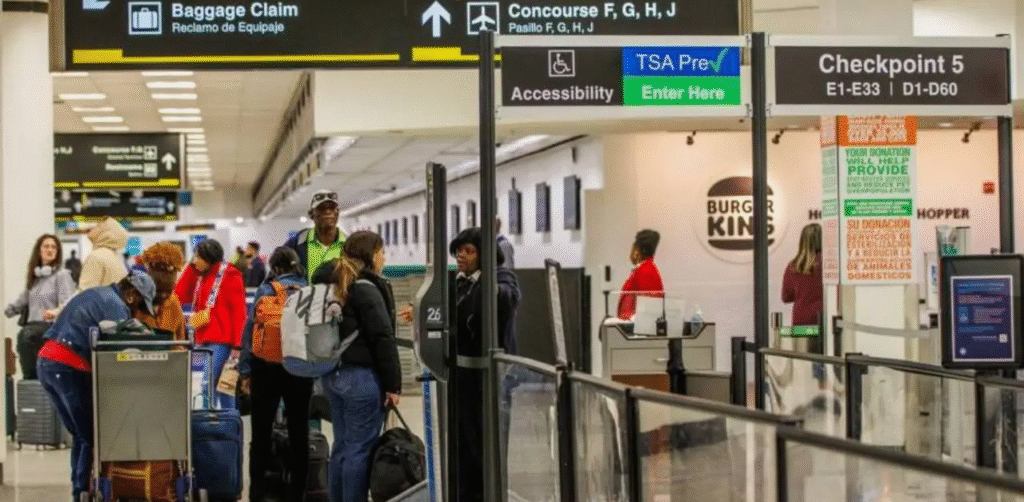
At Miami International, a 25-minute wait is usual; however, during peak hours or the busy spring break season, that can easily increase to 45 minutes or more. Traveling on a normal weekday or during a holiday rush, knowing the current flow will help you time your arrival perfectly. If you’re one step ahead of the crowd, you’ll get through screening quickly, have time for a coffee, and start your trip feeling calm and refreshed.
Let’s take a closer look at Miami International Airport (MIA) security wait times with the help of this complete and easy-to-follow guide.
Miami International Airport (MIA) security check can be a breeze if you are aware of what to expect. Depending on the time of day, travel season, and the number of passengers, security wait times may fluctuate. However, preparation is key to getting through security lines without any stress.
The Transportation Security Administration (TSA) handles security screening at all U.S. airports, including MIA, where officers are responsible for the passenger checks and ensuring that the security rules of the federal government are adhered to so that the journey is safe.
Important Safety Reminder
If you come across any unattended baggage or suspicious activities, do not hesitate to inform the airline staff or the Miami-Dade Sheriff’s Office, Airport Operations Bureau by calling 305-876-7373. Prompt reporting of such matters aids in the safety of the airport for all.
What to Expect at MIA Security Checkpoints?
To make sure your trip through security is as smooth as possible, keep these friendly tips in mind:
- You’re allowed one carry-on and one personal item (like a purse, laptop bag, or backpack). Just a heads-up: in 2026, airlines will be much stricter about those 22 x 14 x 9-inch dimensions, so it’s worth taking a quick measurement before you leave!
- Generally, only those with a boarding pass can head past the checkpoints.
- If you need to stay with a family member or friend for medical or age-related reasons, check in with your airline’s ticket counter first. Many airports now even offer “Guest Passes” so you can walk your loved ones right to their gate.
- Don’t be surprised if there’s a quick spot-check or additional screening at the gate. It’s just a final standard safety measure before boarding.
Electronics & Metal Items
Here is what you must keep in mind:
- At the security checkpoint, the officer can ask you to remove laptops from your travel cases to have a proper X-ray screening.
- If you are carrying other electronic devices, such as cell phones and tablets, you may have to undergo an additional check.
- Try to avoid carrying metal items such as keys, coins, belts, and phones whenever possible.
- Before going through the metal detector, remove any metal objects and put them in your carry-on bag to speed up the security process.
Liquids Rule at MIA
TSA enforces the 3-1-1 Liquids Rule:
- Containers shouldn’t exceed 3.4 ounces (100 ml).
- All liquids should accommodate within a quart-sized transparent bag.
- Water bottles are not permitted through the checkpoint unless empty.
Navigating MIA Security Checkpoints by Terminal
Before heading to security at Miami International Airport (MIA), it helps to know which checkpoint is open and best suited for your flight. The table below outlines terminal locations, operating hours, and recommended usage to help you plan smarter and move through security more efficiently.
| Terminal | Checkpoint / Concourse | Hours of Operation |
| North | Checkpoint 3 (D) | Open 24 Hours |
| North | Checkpoint 1 (D) | 4:45 AM – 8:15 PM |
| North | Checkpoint 4 (D) | 5:00 AM – 9:15 PM |
| Central | Checkpoint 7 (G) | 3:15 AM – 10:45 PM |
| Central | Checkpoint 6 (F) | 3:30 AM – 10:45 PM |
| Central | Checkpoint 5 (E) | 4:00 AM – 10:45 PM |
| South | Checkpoint 9 (H/J) | Open 24 Hours |
| South | Checkpoint 8 (H) | 4:00 AM – 8:00 PM |
| South | Checkpoint 10 (J) | 4:15 AM – 8:15 PM |
How Security Wait Times Are Reported at MIA?
Miami International Airport provides the expected security wait times for TSA checkpoints in its North, Central, and South Terminals. It is a smart move for travelers to find out which screening point is faster, given the current situation. These waiting times vary throughout the day due to factors such as passenger volume, seasonal travel trends, and flight schedules. If they see the real-time updates, passengers can be more accurate in timing their arrival at the airport. On top of that, travelers can find the most convenient checkpoint using the interactive MIA Map on the airport’s official website.
Typical Wait Time Ranges at MIA
Actual times fluctuate, but the official security wait time tool provides estimates for both general and expedited lines at each checkpoint. These estimates usually correspond to wait times of about 5 to 15 minutes, or even longer during peak travel hours. With the help of these estimations, you can select the most suitable checkpoint according to your airline and departure time.
Tips for Using Official MIA Security Wait Times
Here are some important points to consider.
- Check before you arrive: Explore the Miami Airport site or use the MIA Official app to get updates on security wait times and find the closest checkpoint to your gate.
- Plan arrival time accordingly: The airport advises allowing enough time for MIA check-in, parking, and security, as waiting times can increase during the busy morning and evening hours.
- Use expedited options if eligible: Take advantage of accelerated services if you qualify: Though the live wait times cover regular and priority lanes, TSA PreCheck travelers who are enrolled should see quicker movement through checkpoints.
What are the Quick Options at MIA To Lessen Security Wait Times?
Skipping long security lines can save you a lot of time, especially if you are traveling during a busy season. At MIA, programs such as Global Entry, TSA PreCheck, and CLEAR provide expedited screening, letting you move through the airport quickly and with less hassle.
Global Entry – Fast-Track International Arrivals
The CBP (U.S. Customs and Border Protection) runs the Global Entry Trusted Traveler Program, a program that is intended for pre-approved travelers with low-risk entering the United States.
- Why Opt for Global Entry: Global Entry’s processing usually takes only about 40 seconds, and members can quickly get through immigration by using automated kiosks installed in the Passport Control area. Those who travel abroad from the United States four or more times a year, airline crew, and business folks can benefit greatly from it. Besides, it is a great help for those who need to change flights at the last minute, as it drastically reduces the time spent waiting after arrival.
- Who Is Eligible to Apply: Global Entry is open to U.S. citizens, lawful permanent residents, and citizens of select participating countries. Applicants must undergo a background check and complete an in-person interview before receiving approval for the program.
- Cost & Application: A $120 charge covers your 5-year enrollment. Submit your application online and schedule a face-to-face interview at a Global Entry Enrollment Center to finish.
Steps to Use the Global Entry Kiosk at MIA
Here is how you use the Global Entry kiosks. Check the steps below:
- Step 1: The Quick Photo: Approach one of the touchless portals. The cameras will locate you instantly. However, remember to remove any hat, glasses, or face covering beforehand. Just match your face with the outline on the screen, and you are done.
- Step 2: Checking Your Status: Watch the screen closely. If it shows the message “Processing Completed – Please Proceed,” then you are done. Just pick up the exit lane.
- Step 3: If the Machine Needs More Info: Occasionally, the portal requires an additional level of verification. In case it prompts you to “Insert Travel Document,” simply put your passport or travel paper through the scanner for it to re-validate your data.
- Step 4: You’re on Your Way: After you get the green light, you are free to leave without a fuss. If the display is showing “See Officer,” just relax. It often indicates that an officer or a member of the staff will double-check some detail and give you the final approval before you go.
TSA PreCheck – Faster Domestic Security at MIA
The Transportation Security Administration provides TSA PreCheck, a program that allows expedited security screening at participating airlines and airports, including MIA. Here is what you need o know about TSA PreCheck at length:
- You can keep your shoes, belts, and light jackets on
- Laptops and liquids can stay inside your carry-on.
- Dedicated TSA PreCheck lanes
- Children 12 and under can accompany a parent/guardian in PreCheck lanes
- Global Entry includes TSA PreCheck eligibility, so it is a really wise choice for frequent international travelers.
CLEAR – Biometric Speed Through Security
CLEAR leverages cutting-edge biometric tech like iris and fingerprint scans to recognize you instantly and securely at TSA checkpoints. This contactless procedure enables you to bypass the usual ID check line and, if you have TSA PreCheck, you can get through airport security faster than ever. Pairing CLEAR with TSA PreCheck is the best way for travelers at MIA to quickly and smoothly get from check-in to their gate.
Conclusion:
Understanding the security wait times at Miami International Airport (MIA) can make your travel experience more relaxing and less stressful. By using programs such as Global Entry, TSA PreCheck, and CLEAR, passengers can not only reduce the time spent in lines but also get through security checkpoints more quickly. The smoother your trip will be if you plan tactfully. You must arrive early, and select the proper expedited security options. This way you may travel with peace and convenience.
FAQs
The duration of security clearance at Miami International Airport (MIA) is highly dependent on several factors, such as the time of day, day of the week, and travel season. Generally, passengers in regular security queues spend around 15–45 minutes, although the waiting time can be more than an hour during the busiest periods or holidays.
Yes, MIA provides real-time wait times on its official website and via certain airline apps, helping you plan your arrival at the checkpoint.
Absolutely. TSA PreCheck lanes allow travelers to keep shoes, belts, jackets, and laptops in their bags, which is a great time-saving advantage of the security process.
CLEAR uses biometric identification to verify your identity and allows you to skip the line for ID checking. When TSA PreCheck is added to the equation, it’s the fastest way to get through security at MIA and often takes less than 10 minutes.
Some airlines may have priority or dedicated lanes depending on your ticket class or membership programs. Always check with your airline for any expedited security benefits.