
Losing a personal item at Orlando International Airport is stressful indeed and even more if you are in a hurry. Fortunately, the MCO Airport Lost and Found service is designed to help travelers recover their missing belongings through a structured and efficient process. To begin with, it is important to identify exactly where you last saw your item, as different areas fall under different jurisdictions.
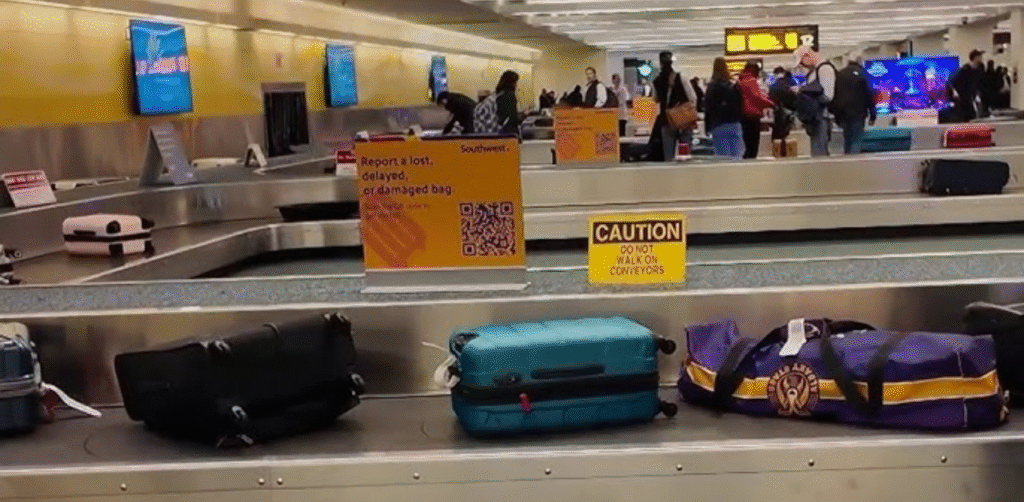
For instance, items left at security checkpoints are handled differently from those left at the gate. Furthermore, the airport utilizes an online reporting system to streamline inquiries. By following this guide, you will learn how to navigate the claims process effectively. Ultimately, staying calm and acting quickly will significantly increase your chances of successfully reuniting with your property.
Overview of MCO Airport’s Lost and Found Service
MCO (Orlando International Airport) offers a free service to help you quickly find lost items. If you misplace something, knowing the official process makes recovery much easier. First, it is important to note that the airport never charges a fee for this assistance.
Additionally, MCO Airport is not affiliated with any outside companies that charge for retrieving belongings. Therefore, you should always use the airport’s official website or office to avoid scams and ensure your items are returned safely.
Where to Report Your Lost Item at MCO Airport?
Where you misplaced your item matters; the specific location dictates your next step. Initially, identify the exact spot where it vanished. Then, reach out to the staff there, as they are the ones who can actually help you.
If your items are lost on an Aircraft or in an Airline Lounge:
If you left something on the aircraft or inside an airline lounge, you should contact the airline directly. Check the table below for the contact information for the airlines at MCO Airport so that you may easily and seamlessly communicate with them.
| Aer Lingus | +1-407-825-2888 |
| AeroMexico | +1-407-825-6599 |
| Air Canada | +1-407-825-3307 |
| Alaska | +1-407-825-3332 |
| Air Transat | +1-407-825-2888 |
| American Airlines | +1-407-825-6010 |
| Avianca | +1-407-825-6135 |
| Azul | +1-407-825-2995 |
| British Airways | +1-407-825-4324 |
| Bahamasair | +1-407-825-3774 |
| Copa Airlines | +1-407-825-4970 |
| Caribbean | +1-407-825-3483 |
| Delta | +1-1-800-325-8224 |
| Discover Airlines | +1-321-655-4635 |
| Emirates | +1-407-825-6777 |
| Frontier | +1-407-825-3362 |
| Icelandair | +1-407-825-2888 |
| JetBlue | +1-407-825-2163 |
| LATAM | +1-407-825-6030 |
| Miami Air | +1-407-825-2888 |
| Southwest | +1-407-825-4600 |
| Spirit | +1-407-825-2801 |
| Sun Country | +1-407-825-2494 |
| Sunwing | +1-407-825-2245 |
| United | +1-407-825-3096 |
| Virgin Atlantic | +1-1-800-880-6253 |
| Volaris | +1-407-825-3184 |
| WestJet | +1-407-825-3335 |
If your items are lost in a Rental Car:
For belongings left in a rental vehicle, passengers should contact the rental car company they used. The rental agencies manage lost items discovered in their vehicles.
If your items are lost in Other Areas of the Airport:
If the item was misplaced elsewhere in the airport, such as public areas, waiting zones, or terminal spaces, you should complete the official Lost and Found form provided by the airport.
Furthermore, after submitting the form, the Lost and Found team will begin searching for your item. Travelers are asked to be patient while the team researches the claim. Submitting duplicate forms is discouraged because it can slow the process. Once your item is located, the airport’s team will contact you with further instructions.
Additional Points to Remember Regarding Lost and Found At the MCO Airport
Here are additional points to note about the lost and found items at Orlando International Airport.
Special Note About Driver’s Licenses:
If a driver’s license is turned in to Lost and Found by itself, it will automatically be mailed to the address listed on the license. This helps ensure important identification documents are returned quickly.
Claiming Your Found Item:
If the Lost and Found team confirms they have your item and you are located in the Central Florida area, you may visit the office in person to collect it.
Lost and Found Office Hours:
The Lost and Found offices operate at the following locations and hours:
- Terminal A – Level 1: 7:00 AM to 7:30 PM
- Terminal C – Level 1: 8:00 AM to 4:00 PM
Steps to Fill the Lost and Found Form on the MCO Airport Website
Below, we mention the steps that you follow to fill out your lost and found form-
Visit the Official Lost and Found Page: Start by going to the official lost and found section of the Orlando International Airport website. Locate the online form designed for reporting missing items.
Enter Your Contact Information: In the Contact Information section, provide your personal details so the airport team can reach you. Fill in:
- First Name
- Last Name
- Email Address (for example: example@example.com)
- Phone Number
Provide Your Mailing Address: Next, complete your mailing details in case the airport needs to send your recovered item. Enter:
- Street Address
- City
- State (choose from the dropdown list)
- Postal / ZIP Code
- Country (select from the available options)
Enter Item Information: Move to the Item Information section and describe the lost item clearly. Select the appropriate categories and sub categories for the item.
Specify the Item Color: Indicate the color of the lost item to help staff identify it more easily.
Add the Date the Item Was Lost: Enter the date you lost the item using the date field.
Write the Description in Details: In the Description box, provide important details about the item. Use alphanumeric characters only, and keep the description within 255 characters.
Complete the Human Verification: Confirm that you are not a robot by completing the “Please verify that you are human” verification step.
Submit the Form: After reviewing all the details for accuracy, click the Submit button. Your lost item request will then be sent to the airport’s lost-and-found department for review.
Furthermore, after submission, you must check your phone and email for any updates regarding your lost belongings.
Conclusion:
Now, you know that the Lost and Found service at Orlando International Airport is built to help travelers recover items quickly. Identify where you lost your item, as this determines who you should contact. Next, submit an official online form with specific details to improve your chances of success.
Furthermore, the airport’s organized reporting system and dedicated staff ensure the process remains secure and efficient. To speed things up, act immediately and avoid filing multiple reports for the same item. So, by following these clear steps and providing accurate information, you can easily reunite with your missing belongings.
FAQs:
You can report a lost item by completing the official Lost and Found form on Orlando International Airport’s website or by contacting the relevant department, depending on where the item was lost.
If the item was left on the aircraft or in an airline lounge, you should contact the airline directly because airlines manage lost property in those areas.
The Lost and Found offices operate at Terminal A (Level 1) from 7:00 AM to 7:30 PM and at Terminal C (Level 1) from 8:00 in the morning to 4 in the evening.
No, the Lost and Found service at Orlando International Airport is completely free, and travelers should only use the official airport channels to avoid scams.
If a driver’s license is turned in by itself, the airport typically mails it automatically to the address listed on the license.
Yes, if the Lost and Found team confirms they have located your item and you are in the Central Florida area, you may visit the office in person to claim it.