
If you’ve ever landed at Incheon International Airport and wondered how much time to keep aside before your flight, you’re not alone. ICN handles an enormous volume of international passengers every single day. While the airport is genuinely well-organized, it still pays to know how the security process works, where to check live congestion before you head in, and what you can do to move through faster.
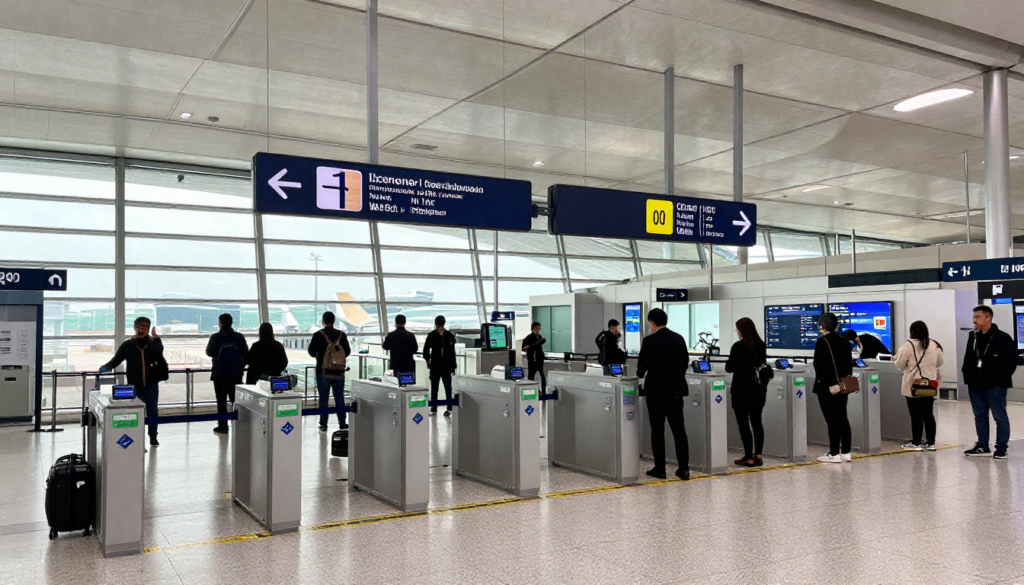
This guide to Incheon International Airport’s security wait times will help you plan your journey and ensure you do not face any inconvenience.
How Incheon Airport Officially Recommends You Plan Your Time
The airport is clear about one thing: arrive early. The official guidance published on the ICN website recommends arriving at the airport about 3 hours before departure for international flights. This accounts for check-in, baggage drop, security screening, departure immigration, and getting to your boarding gate, all of which take real time, especially at a terminal as large as ICN’s.
Missing that buffer often means rushing through each step, and a slow queue at security can cascade into a missed flight.
Where to Check Live Security Wait Times at ICN
Incheon Airport has a dedicated real-time congestion tool on its official website. It covers the departure halls across Terminal 1 and shows live status for each security area, broken down by zone (Area 1 through 6) and direction (East and West).
The congestion levels are displayed as: Smooth / Normal / High / Very High / End of Operation / Not in Operation.
You can check this before you leave for the airport or while you’re already inside. The tool updates in real time and is maintained by the airport’s Operations DX Team.
For questions about current wait times, the official customer service number is 1577-2600, operating daily from 07:00 to 22:00 year-round.
Check Predicted Passenger Traffic at Incheon Airport
Beyond real-time data, ICN also provides a forward-looking congestion prediction tool. This shows the expected number of passengers using the airport broken down by time range, so you can check in advance what the departure hall situation is likely to look like on the day of your flight.
The authorities update the prediction data daily at 17:00.
- D+2 days: Predicts the congestion of the departure airport
- D+1 day: Predicts airport congestion at transit, and departure
One important note from the airport: if flight departure or arrival times change, boarding gate changes or other schedule updates can affect the predicted passenger numbers. The prediction before such a change and the updated one after it may not match.
The Security Screening Process at ICN
Understanding exactly what happens at security helps you move through it faster. Incheon Airport officially describes two types of security checks.
Smart Security Check (Recommended)
ICN actively recommends the Smart Security Check for a more convenient experience. The key advantage is that you do not need to remove electronic devices such as laptops or tablets from your bag. This alone makes it noticeably faster than standard lanes.
Smart Security Check is located at Departure Hall 3 of Terminal 1.
The steps are straightforward:
- Put your belongings in the lower basket.
- You needn’t remove electronic devices from your bag.
- Push the basket forward.
- After the tray has been loaded onto the conveyor belt, proceed with the security check.
That’s it. No unpacking electronics, no repacking on the other side. If you’re departing from Terminal 1 and you’re not already heading to Hall 3, it’s worth walking the extra distance.
General Security Check
The standard security lane works under the guidance of a security officer and follows these steps:
- Provide your boarding pass and passport to the security guard
- Place your belongings and bags in a separate basket; electronic devices such as laptops and tablets must be removed and placed separately.
- Pass through the round detector following the security officer’s instructions.
One useful tip from the official airport guide: if the departure hall you’re planning to use looks crowded, you can use nearby departure halls. The security areas are spread across multiple halls, and switching to a quieter one is a perfectly valid option. It’s the kind of thing that saves you 10–15 minutes if you catch it early.
What to Expect at ICN Departure Immigration After Security
Security screening and departure immigration are two separate steps. After passing security, you’ll go through departure immigration before entering the duty-free zone and boarding area. It’s worth knowing how this works, too, since the combined time for both steps determines whether you make your flight comfortably.
ICN offers two immigration options:
Automatic Immigration Screening
This is the faster option, but it requires a one-time registration. The process uses passport scanning and fingerprint/facial recognition.
Registration locations:
Terminal 1
- Operating hours: 07:00–18:00 (open all year round)
- Location: 3rd floor, opposite the H check-in counter (adjacent to the departure hall 4)
- Inquiries: 032-740-7400
Terminal 2
- Operating hours: 07:00–18:00 (open all year round)
- Location: 2nd floor, Immigration Service Center, Ministry of Justice
- Inquiries: 032-740-7368
The screening steps once registered:
- Enter when the green arrow changes
- Open your passport to the photo page and scan it on the reader for 2–3 seconds
- Enter when the door opens
- Scan your fingerprint
- Look at the front camera
Manned Departure Screening
This is the standard queue with a human immigration officer. The steps:
- Wait at the inspection counter, remove your sunglasses and hats while you wait, and avoid being on your phone
- Present your passport to the immigration officer
- Pass through the counter once the inspection is complete
One important thing: After departure screening is done, you enter the duty-free area. You cannot easily return to the general area after this point. Currency exchange, any last-minute items from before security, anything you need to sort, do it before you go through.
Conclusion
Knowing what to expect before you arrive makes navigating a major international hub much easier. Check live and predicted Security Wait Times at Incheon International Airport (ICN). Arriving early and knowing the airport’s security, immigration, and boarding procedures can go a long way toward a less stressful travel day. Whether you’re leaving from Terminal 1, the Concourse, or Terminal 2, a bit of planning can go a long way to a smooth journey through ICN. Check congestion with airport tools, allow plenty of time to reach each checkpoint, and arrive at your boarding gate well before departure.
FAQs
You must search the airport three hours on an average before your flight’s departure so that you may have a hassle-free experience.
Yes, ICN also offers a real-time congestion monitoring tool on its official website, so passengers can check current security conditions before heading to the airport.
The Smart Security Check at Terminal 1 Departure Hall 3 is generally the quickest option because passengers do not need to remove laptops or tablets from their bags.
Yes. Wait times can change depending on flight schedules, passenger volume, holidays, and peak travel periods. Checking the airport’s live congestion tool can help you avoid the busiest times.
Have your passport and boarding pass ready. If you are using a standard security lane, remove electronic devices from your carry-on bag and follow the instructions provided by security officers.