
Incheon is one of the world’s biggest airports, so feeling a little nervous is totally normal. Luckily, getting your luggage is completely foolproof. All you need to do is walk through immigration and check the large monitors for your flight number; it will tell you which carousel to head toward. Just follow the bright overhead signs to get to the right area. On the other hand, if you checked in large sports equipment or bulky boxes, those don’t come out on the regular belt. You will need to grab them at the nearby oversized baggage counter instead.
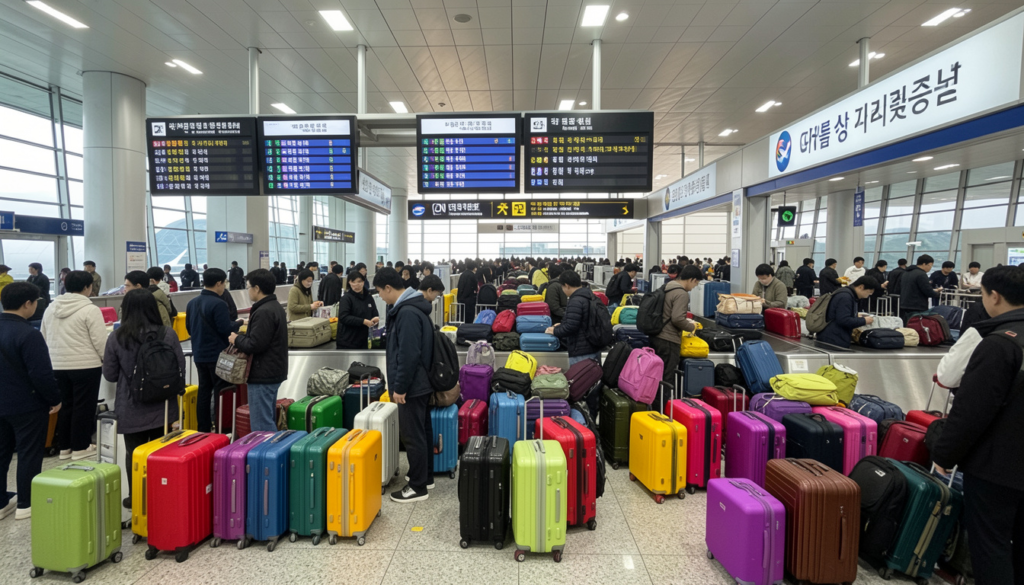
So, keep reading this guide about Incheon Airport’s baggage claim, and learn how to find your bags, handle oversized luggage, and breeze through customs so you can start your trip hassle-free.
Step-by-Step Baggage Claim Procedure at ICN Airport
Getting your bags from the carousel is a piece of cake. Follow the steps to pick your luggage.
- First, you need to walk through immigration and look at the big display screens right ahead. They will show you your flight number and tell you which carousel your bags are on.
- After that, head over to the nearby escalators or elevators. You can use them to go down to the first floor, which is where the baggage delivery area is located.
- Then, walk to your assigned carousel and wait for the bags to come out. However, if you checked any extra-large items, you must pick them up at the oversized luggage area.
- When your suitcases roll around, go ahead and grab them. Just remember to give the luggage tags a quick look-over so you are 100% sure you aren’t taking someone else’s bags.
ICN Airport’s Oversized Baggage Claim Guide
If you checked bulky or oversized items, they will not arrive on the standard carousels. Instead, they must be collected from the designated Oversized Baggage Counters located on the 1st Floor:
| Location | Description & Counter Placement |
| Terminal 1 | Located on the 1st Floor Arrival Hall, positioned A-F Arrival Hall |
| Terminal 2 | Located on the 1st Floor, A-B Arrival Hall |
Get Help and Assistance at ICN Airport
Need to ask any questions or run into any trouble getting your bags? All you need to do is contact the airport support team directly. They are happy to help!
- Incheon International Airport Customer Service: 1577-2600
- Managing Department: Customer Experience Team
Conclusion:
With the ICN Airport baggage claim details at hand, you know that navigating the airport is not so hard. After immigration, check the screens and head to the first floor to pick up your bags. Moreover, if you have large or bulky items, just look for the oversized luggage counter. On the other hand, if you ever feel lost or your bags don’t show up, the ICN airport’s customer service team is always there to help get you back on track. Now, you are fully ready to breeze through arrivals and start enjoying your trip.
FAQ
You need to keep an eye out for the big flight information screens as soon as you clear immigration. So, just spot your flight number on there, and it will tell you which baggage carousel to head toward.
When you are through immigration, just take the nearby stairs, elevator, or escalator down to the 1st Floor Arrival Hall.
You can call the Incheon International Airport Customer Service line at 1577-2600. If your bag is nowhere to be found, just head to the airline desk inside the baggage claim area to speak with their team directly.
When you grab your luggage, then walk through the customs exit. If you have nothing to declare, just follow the green line, and it will take you straight to the main arrivals hall.
Yes! ICN Airport’s Customer Experience Team is there to help you out. If you get lost or need directions, just tap anyone in a uniform on the shoulder or pop over to an information desk.