
This guide will be immensely helpful to you, as we have discussed DFW’s baggage claim in detail. When you get to the airport, finding the baggage claim area might be a bit of a challenge. When you have the right information at hand, navigation becomes easier and seamless. To find the baggage carousel numbers, do not forget to check the digital screens. With the interactive map at hand, navigating the baggage claim becomes a mere cakewalk.
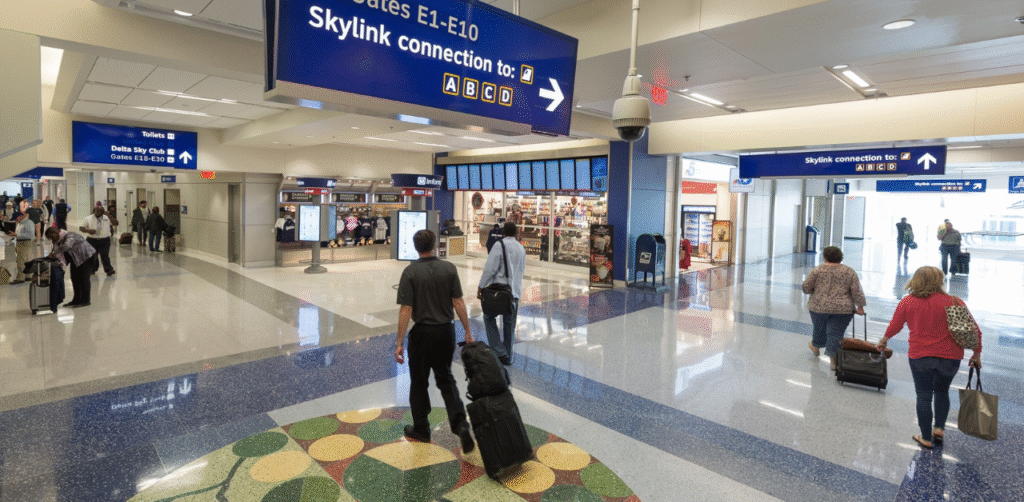
Understanding DFW’s Terminal Layout
There are five distinct terminals at DFW Airport, labeled A through E. Each terminal has its own baggage claim area.
- Domestic Arrivals:
When your domestic flight lands, you just need to go to the baggage claim in that same terminal to get your luggage.
- International Arrivals:
When your international flight lands at DFW Airport, go over to Terminal D for customs. Moreover, you need to grab your bags first, then head right out to meet your ride in the public arrivals area.
How to Find Your Baggage Claim at DFW Airport?
When you land at DFW Airport, you will find that every terminal (A, B, C, D, and E) has its own baggage claim. However, flights can change schedules or gates, so you must know exactly where to collect your bags, which requires checking live updates. You can stay informed using the following steps:
- Check Live Flight Status:
You can use the official DFW flight tracker. Enter details like your airline name and flight number for real-time updates. It will instantly confirm if your flight has landed and show you your designated arrival terminal.
- Follow the Signage:
When you step off your flight, just follow the overhead signs for baggage claim. Make sure you don’t board the Skylink train unless you have another flight to catch, since it stays inside security. So, simply walk past the TSA exit and go down to the lower level. Your bags will be on the carousels there.
- Monitor the Digital Monitors:
Inside the baggage claim area, digital information display screens list incoming flights alongside their assigned carousel numbers.
Terminal Transfer for Baggage at DFW Airport
How you handle your baggage depends entirely on your flight itinerary, whether your connection is domestic or international, and if your tickets were booked together.
Here is exactly how terminal transfers work for checked luggage at DFW Airport.
- With Checked Bags:
You must take the Terminal Link shuttle bus if you:
- Are transferring flights and need to pick up your bags.
- Landed at a different terminal from the one where you parked.
Where to find it: Outside on the lower level, near the baggage claim exits. It connects all five terminals.
- Without Checked Bags (Carry-on Only):
If you don’t have bags to collect, just stay where you are past security. You can hop on the fast Skylink train to get to any terminal for free.
Useful Baggage Claim & Lost and Found Advice at DFW Airport
Dealing with lost or delayed luggage is a nightmare, but you can handle it if you prepare ahead and act fast.
Here are quick tips for tracking your bags and what to do if they go missing.
- Flight Monitors:
Always check the digital flight information displays near the arrival gates or in the official DFW app to confirm the exact baggage carousel number assigned to your flight, as these numbers frequently change.
- Lost Luggage on the Aircraft:
If your bags do not arrive or you left an item on the plane, you must contact your airline’s baggage service desk, usually located right next to the baggage carousels in that terminal.
- Lost Items in the Terminal:
If you lose a personal item within the public areas of the airport, you can file a report with the DFW Airport Lost and Found, located pre-security in the Terminal E baggage claim area. If you are an American Airlines passenger, you will find your lost and found services adjacent to Gate C2.
- If Your Bag Doesn’t Arrive:
If the carousel stops spinning and your bag is nowhere to be seen, don’t panic. Take a deep breath and follow these steps immediately to file a report before leaving the Airport
- Go straight to your airline’s Baggage Service Office (usually located near the baggage claim area).
- File a Property Irregularity Report (PIR).
- Do not leave the airport without a copy of this report and a reference number. You will need this to track the bag and file claims.
DFW Airport Main Baggage Contact
For general inquiries regarding airport baggage services, you can reach the main line directly:
- DFW Main Baggage Claim: 972-973-4420
Now that you have read the guide on DFW baggage claim, the process may seem easier. Remember that every terminal has its own baggage claim right inside, so your bags are never far away. You can check your flight status as soon as you land. You can also use your airline’s app and follow the overhead signs to stay on track.
FAQs:
Once you get off your plane at DFW:
Walk past the secure gate area.
Go down to the lower level.
Find the baggage carousels for your specific terminal (A, B, C, D, or E).
Go down to the baggage claim area in your terminal and look for the screens. They will show you your flight and tell you which carousel your bags are on.
No, the Skylink train is just for connecting flights. To get your bags, walk out of the secure gate area and head downstairs.
All international arrivals primarily go through Terminal D. You will clear Customs and Border Protection, collect your bags in the international arrivals area, and then exit into the public hall.
You need to go straight to your airline’s Baggage Service Office near the luggage carousels. File a report (called a PIR) and make sure you get a copy with a reference number before you walk out the door.